
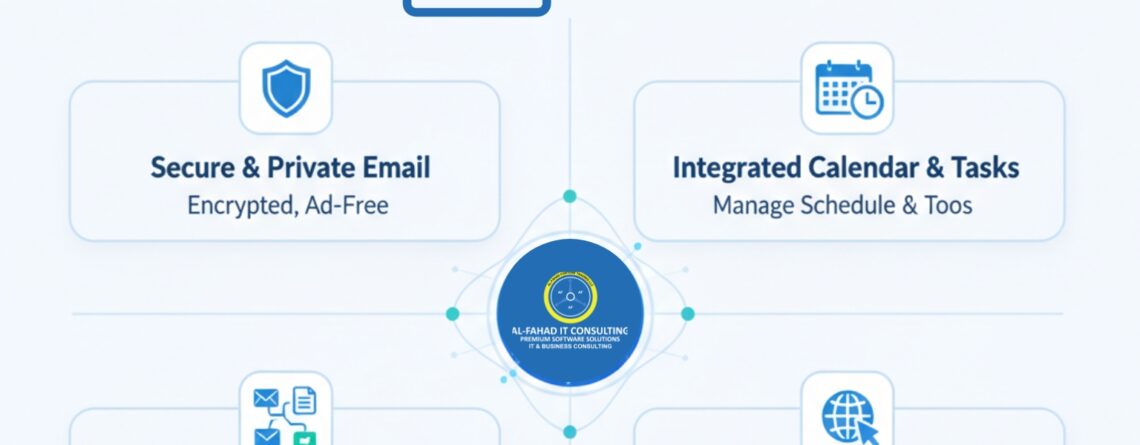
Zoho Mail is a professional business email platform that goes beyond sending and receiving emails. Developed by Zoho Corporation, it is part of the Zoho ecosystem, which includes over 50 integrated apps like Zoho CRM, Zoho Projects, Zoho Recruit, and Zoho Docs. Designed for businesses of all sizes, Zoho Mail provides secure, ad-free email hosting, advanced collaboration tools, and seamless integration with productivity apps to optimize communication and workflow.
With Zoho Mail Premium, businesses can unlock advanced storage, compliance tools, and enterprise-grade security features, making it a robust alternative to competitors such as G Suite and Microsoft 365.
Key Features of Zoho Mail
The following section highlights some of the key features offered by Zoho Mail for businesses in Saudi Arabia (Riyadh), the UAE (Dubai) & Bahrain (Manama).
Secure and Ad-Free Email
- Encryption and Security: Zoho Mail uses TLS encryption, two-factor authentication, and optional S/MIME certificates to secure email communication.
- Encryption & Security: Protect sensitive business communication with TLS, 2FA, and S/MIME.
- Spam Filtering & Compliance: Protects your inbox from spam and phishing, and offers features like email retention policies for businesses.
- Spam Filtering & Compliance: Reduce phishing risks and stay compliant with retention policies.
Productivity and Collaboration
- Streams Collaboration Tool: Team members can tag colleagues, comment on emails, share files, and collaborate in real time.
- Tasks and Calendar Integration: Assign tasks, set deadlines, and organize meetings without leaving your inbox. For more productivity tips, see Boosting Email Productivity with Zoho Mail.
- Zoho Mail Mobile & Desktop Apps: Access your email anywhere via the Zoho Mail app for Windows 10, iOS, or Android.
Custom Domains and Administration
- Professional Domain Emails: Create email addresses using your company domain, managed via the Zoho Mail Control Panel.
- Zoho Mail Admin Control Panel: Configure security policies, monitor activity, and manage multiple accounts effortlessly.
Learn more about Zoho Mail control features in our Managing Multiple Email Accounts in Zoho Mail guide.
Migration and Integration
- Zoho Mail Migration Tool: Seamlessly migrate emails, contacts, and calendars from Gmail (G Suite), Outlook, or other IMAP servers to streamline cross-channel communication without integration problems.
- Integration with Zoho Apps: Connects with Zoho CRM to create an omnichannel presence over finance, marketing, and sales. Zoho Recruit for a smart, AI-driven recruitment process, Zoho Projects for an all-in-one project management software for business, and more for a complete workflow ecosystem.
Zoho Mail Premium
For organizations requiring higher storage and enterprise features, Zoho Mail Premium offers:
- 50 GB storage per user
- Email archival and e-discovery
- Advanced security and compliance tools
- Priority support for admins
- Unlike Gmail or Outlook, Zoho Mail Premium ensures ad-free usage with higher storage per user at a competitive price point.
This makes it ideal for larger organizations or businesses dealing with sensitive data.
Zoho Mail Setup: How to Get Started
Setting up Zoho Mail is simple and can be completed in a few steps:
- Sign Up: Choose a plan based on your business needs, including Zoho Mail Premium.
- Verify Domain: Add your company domain and configure DNS records.
- Create User Accounts: Set up emails for employees.
- Configure Clients: Use Zoho Mail app for Windows 10, or configure other email clients via IMAP/POP.
- Add Signatures: Seamlessly add e-signatures in Zoho Mail for easier functionality. Learn how to add an email signature in Zoho Mail for professional email formatting.
Zoho Mail Apps & Ecosystem
let’s look into some of the apps Zoho Mail integrates seamless for a multifunctional system for businesses in GCC.
Zoho Recruit Features
Zoho Mail integrates with Zoho Recruit, allowing HR teams to manage applicants, schedule interviews, and track hiring workflows efficiently.
Zoho CRM Integration
Emails can be linked with CRM Zoho Mail, automatically logging communication with leads and customers to enhance sales and support efficiency.
Zoho Mail Campaign Integration
Zoho Mail seamlessly integrates with Zoho Campaign for automatic messaging, follow-up with customized messaging, all under one email marketing software.
Other Integrations
CRM Zoho Mail works with Zoho Projects, Zoho Docs, Zoho WorkDrive, and Zoho Analytics, making it a central hub for all business communication and project management.
For tips on customizing your interface, see Personalizing Your Zoho Mail Interface.
Zoho Mail Competitors
While Zoho Mail app is a robust email platform, it competes with other services such as:
- G Suite / Google Workspace: Offers email and collaboration, but can be pricier for small businesses.
- Microsoft 365 Outlook: Strong integration with Office apps.
- ProtonMail: Focused on end-to-end encrypted emails.
CRM Zoho Mail stands out due to its ad-free interface, integration with Zoho apps, customization options through the Zoho Mail admin control panel, and competitive pricing.
G Suite vs Zoho Mail
When comparing Zoho Mail with G Suite (Google Workspace), businesses often evaluate features, pricing, and ecosystem integration:
- Pricing: Zoho Mail generally offers more competitive plans, especially for small and medium businesses, whereas G Suite can become costly as teams grow.
- Collaboration Tools: G Suite provides Gmail, Google Docs, Sheets, and Drive integration. Zoho Mail, on the other hand, integrates seamlessly with Zoho apps like CRM, Projects, Recruit, and Work Drive, offering a complete business ecosystem.
- Security & Privacy: Both platforms offer robust security, but Zoho Mail emphasizes ad-free email, domain-level control, and advanced admin policies.
- Migration & Setup: Zoho Mail provides the Zoho Mail migration tool, making it easy to transfer data from other platforms. G Suite also supports migration, but may require third-party tools for complex setups.
For a detailed comparison, you can refer to our in-depth blog: G Suite vs Zoho Mail
Why Choose Al Fahad IT Consultant for Zoho Mail
Partner with Al Fahad IT Consulting, a premium Zoho partner with over 10 years of experience across the UAE, KSA, and Bahrain in providing Zoho Consulting and Zoho Implementation services. We optimize and support your Zoho Mail solutions for secure, efficient, and professional business communication. Here’s why businesses choose us:
- Expert Zoho Consultation: We set up and configure Zoho Mail, ensuring a smooth transition and optimal performance by providing a customized Zoho consultation.
- Customized Solutions: Tailored email and collaboration workflows that fit your organization’s needs.
- Data Security & Compliance: Advanced security measures to safeguard sensitive business information.
- Seamless Integration: Full integration with other Zoho apps, including Zoho One Business Suite.
- Migration Support: Utilize the Zoho Mail migration tool for hassle-free transfer of emails, contacts, and calendars from other platforms.
- Ongoing Support & Training: Dedicated support to resolve issues, train teams, and enhance productivity.
- Multi-Region Experience: Serving clients in the UAE, Saudi Arabia, Bahrain, and their major cities with localized expertise.
By partnering with Al Fahad Premium Zoho Partner, your business benefits from professional, secure, and highly efficient Zoho Mail solutions, helping you focus on growth while we handle your communication infrastructure. Still unsure? Here is our detail Zoho implementation process in the UAE, Saudi Arabia & Bahrain to help you make an informed decision.
Conclusion
Zoho Mail is more than an email service; it is a secure, collaborative, and productivity-focused business communication platform. With features like the Zoho Mail migration tool, businesses can streamline communication, enhance collaboration, and maintain professional branding. Moreover, businesses use Zoho Creator’s low-code custom development to create customize ERP solutions, while enterprises always find the best alternatives to streamline their business operations. That said, here are some guides that might help you find the best option for your automation problems in Saudi Arabia, the UAE, or Bahrain.
- Zoho Workplace vs. Google Workspace
- Zoho Inventory vs. Fishbowl
- Zoho Inventory vs. Odoo
- Zoho vs. Odoo ERP Solutions: Which is Better?
If you are looking for a finance management solution, then Zoho Books is the best option, especially in GCC. New to Zoho Books? Here is a complete guide to help you make the right call: What is Zoho Books?
Many businesses struggle to make the right switch to Zoho cloud solutions at the right time, so we’ve created a checklist – 5 signs to notice if you need a Zoho consulting partner today.
FAQs
1. What makes Zoho Mail different from Gmail or Outlook?
Zoho Mail provides an ad-free, business-focused email platform with deep integration across the Zoho ecosystem, advanced administrative controls, migration tools, and robust privacy policies, making it an ideal solution for businesses.
2. Can I use my custom domain with Zoho Mail?
Yes, businesses can create professional email addresses using their own domain. Admins can manage users, security policies, and configurations through the Zoho Mail Control Panel.
3. Does Zoho Mail integrate with Zoho Projects?
Yes, Zoho Mail integrates seamlessly with Zoho Projects, allowing teams to link emails with tasks, set deadlines, and track project updates directly from their inbox.
4. How secure is Zoho Mail for business communication?
Zoho Mail provides TLS encryption, two-factor authentication, optional S/MIME certificates, spam filtering, and compliance tools. It emphasizes privacy by not selling user data for advertising purposes.
5. Can I migrate my existing emails to Zoho Mail?
Yes, the Zoho Mail migration tool allows businesses to transfer emails, contacts, and calendars from Gmail, Outlook, or other IMAP servers safely and efficiently.
6. How to configure Zoho Mail in Outlook
- In Outlook, go to File → Add Account.
- Choose Manual setup → IMAP.
- Enter details:
- Incoming server (IMAP): imap.zoho.com | Port 993 | SSL
- Outgoing server (SMTP): smtp.zoho.com | Port 465 SSL or 587 TLS
- Username: full Zoho email address
- Password: Zoho password or app-specific password (if 2FA enabled)
- Go to More Settings → Outgoing Server and check “My outgoing server requires authentication.”
- Test the connection and finish the setup.
7. How to delete a Zoho Mail account
- Go to accounts.zoho.com
- Navigate to My Account → Settings → Close Account.
- Follow the on-screen steps to confirm account deletion.
Note: This deletes your entire Zoho account, including all Zoho services linked to it.
8. How to reset Zoho Mail password
- Go to the Zoho login page and click Forgot Password.
- Enter your Zoho email, solve the CAPTCHA, and click Next.
- Verify with recovery email/phone OTP.
- Enter a new password and click Save Changes.
9. How to configure Zoho Mail on WordPress
- Install WP Mail SMTP plugin.
- Enter SMTP details:
- SMTP Host: smtp.zoho.com
- Port: 465 (SSL) or 587 (TLS)
- Authentication: Yes
- Username: full Zoho email
- Password: Zoho password or app-specific password if 2FA is enabled
- Enter SMTP details:
- Save settings and test email delivery.
10. Is Zoho Mail good?
Yes — Zoho Mail is reliable, ad-free, and secure.
- Free plan available (5GB per user).
- Paid plans start cheap with custom domain support.
- IMAP/POP/SMTP supported.
- Strong spam filtering and data privacy.
11. Zoho Mail SMTP details
- Incoming Mail (IMAP):
- Host: imap.zoho.com
- Port: 993 (SSL required)
- Outgoing Mail (SMTP):
- Host: smtp.zoho.com
- Port: 465 (SSL) or 587 (TLS)
- Authentication required


