
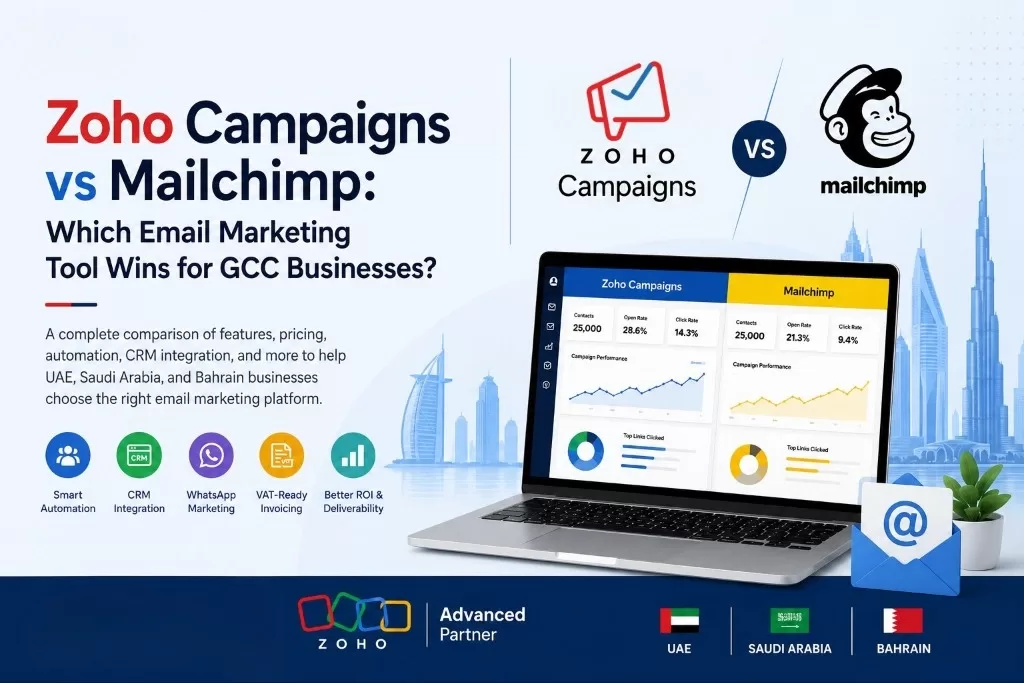
Every marketing team in the UAE, Saudi Arabia, and Bahrain eventually asks the same question: do we run our email campaigns on Mailchimp, the platform most marketers already know, or on Zoho Campaigns, the tool that actually connects to the CRM and accounting system the business already runs on? It is not a trivial choice. Email is still the channel that closes deals quietly in the background while WhatsApp and social media get the attention — and the platform a GCC business picks determines how much manual work its marketing team does every single month.
Mailchimp built its reputation as the easiest email tool to start with — generous templates, a huge library of integrations, and a brand most businesses recognise from years of global marketing. But most Mailchimp plans were never built with GCC specifics in mind: Arabic-first design, WhatsApp as a primary channel, VAT-compliant invoicing tied to campaign spend, or a genuine two-way sync with a CRM already holding thousands of regional leads. Zoho Campaigns approaches the problem from the opposite direction — not as a standalone email tool, but as the marketing layer of a connected business suite that already includes Zoho CRM, Zoho Books, Zoho Desk, and Zoho SalesIQ.
This guide compares Zoho Campaigns and Mailchimp feature by feature — pricing, Arabic and RTL support, automation, CRM integration, data compliance, and deliverability — so a UAE, Saudi, or Bahrain business can pick the platform that actually fits how it sells, not just the one with the friendlier onboarding screen.
Zoho Campaigns vs Mailchimp: Quick Comparison at a Glance
| Feature | Zoho Campaigns | Mailchimp |
| Free plan | Up to 2,000 contacts, 12,000 emails/month | Up to 500 contacts, 1,000 emails/month |
| Arabic & RTL support | Native RTL editor and Arabic templates | Limited native RTL; workarounds needed |
| CRM integration | Deep, native two-way sync with Zoho CRM | Third-party connectors, shallow native sync |
| WhatsApp marketing | Connects via Zoho SalesIQ / Zoho Marketing Plus | Not natively supported |
| Ecosystem | Part of Zoho One (CRM, Books, Desk, Analytics) | Standalone platform, add-ons via integrations |
| VAT-ready invoicing link | Syncs with Zoho Books for FTA-compliant billing | No native accounting integration |
| AI content & subject lines | Zia AI content assistant | Intuit Assist / built-in AI tools |
| Pricing for growing lists | Generally lower cost per contact at scale | Costs rise quickly past 5,000+ contacts |
| Local/regional support | Regional partner support (UAE, KSA, Bahrain) | Global support, no dedicated GCC presence |
Note: Pricing tiers, free-plan limits, and feature availability for both platforms change periodically. Always confirm current plan details on Zoho Campaigns’ and Mailchimp’s official pricing pages, or with a certified Zoho partner, before making a purchasing decision.
What Is Zoho Campaigns?
Zoho Campaigns is the email and multi-channel marketing product inside the wider Zoho ecosystem, built to send newsletters, promotional campaigns, and automated drip sequences while staying natively connected to Zoho CRM, Zoho Books, and Zoho Desk. Rather than exporting contact lists between disconnected tools, a business running Zoho already has its leads, customers, deals, and support tickets sitting in the same data layer that Campaigns sends emails to — so a new CRM lead can trigger a welcome sequence automatically, and a campaign click can update a deal stage without anyone touching a spreadsheet.
What Is Mailchimp?
Mailchimp is one of the world’s most widely used email marketing platforms, known for its drag-and-drop editor, large template library, and brand recognition built over more than a decade in the global small-business market. It works well as a standalone tool for businesses that only need to send campaigns and are not trying to connect email to a CRM, accounting system, or WhatsApp workflow. Mailchimp integrates with hundreds of third-party apps through connectors, but — unlike Zoho Campaigns — it was not built as part of a single connected business suite, so most of those integrations require separate setup, mapping, and ongoing maintenance.
Zoho Campaigns vs Mailchimp: Feature-by-Feature Comparison
Pricing & Plans for GCC Businesses
For a small business sending occasional newsletters, Mailchimp’s free tier and entry-level plans look attractive. The gap widens as a contact list grows. GCC businesses running loyalty programmes, retail promotions, or B2B nurture sequences often manage lists in the tens of thousands, and Mailchimp’s per-contact pricing model tends to scale up quickly past the free and entry tiers. Zoho Campaigns is generally priced more competitively at higher contact volumes, and businesses already on Zoho One or Zoho CRM Plus often get Campaigns bundled in at effectively no extra cost — a meaningful saving for SMEs watching every AED and SAR of marketing spend.
Arabic Language & RTL Support
A large share of GCC audiences read and respond to Arabic-first content, and email templates that were designed left-to-right and simply flipped rarely look professional in Arabic. Zoho Campaigns includes native right-to-left (RTL) editing and Arabic-ready templates, so campaigns built for a Saudi or Emirati audience render correctly without manual CSS fixes. Mailchimp’s editor was built around English-first, left-to-right design, and while Arabic text can be inserted, achieving a clean RTL layout typically needs custom HTML work or a developer’s help — an extra step most in-house marketing teams do not have time for.
WhatsApp & Multi-Channel Marketing
Email alone rarely closes the loop with GCC customers, most of whom expect a WhatsApp follow-up to any promotion that lands in their inbox. Zoho’s marketing stack — through Zoho Campaigns, Zoho SalesIQ, and Zoho Marketing Plus — connects email campaigns to WhatsApp messaging and web chat inside the same workflow, so a single campaign can trigger both a newsletter and a WhatsApp follow-up. Mailchimp has no native WhatsApp channel; businesses that want to combine email and WhatsApp on Mailchimp need to stitch together a separate third-party tool and manage two disconnected reporting dashboards.
CRM & Ecosystem Integration
This is where the two platforms diverge the most. Zoho Campaigns was designed from day one to sit inside the same data layer as Zoho CRM, Zoho Desk, and Zoho Books — a contact created in CRM is instantly available to Campaigns, a campaign open or click updates the lead’s activity timeline in CRM automatically, and a converted lead can trigger an invoice workflow in Books. Mailchimp integrates with Salesforce, HubSpot, and other CRMs through connector apps, which work but require separate configuration, field mapping, and periodic troubleshooting — an ongoing maintenance cost that a native integration avoids.
Automation & AI Capabilities
Both platforms offer visual automation builders for welcome series, abandoned-cart follow-ups, and re-engagement campaigns, and both have added AI assistance for subject lines and content drafting. Zoho’s advantage is that its automation, powered by Zia, can pull triggers and data directly from CRM records, deal stages, and support tickets — not just from email engagement — which allows more business-specific automation than a standalone email platform can build on its own.
Data Residency & Regional Compliance
UAE and Saudi businesses in regulated sectors — healthcare, finance, government-adjacent industries — increasingly need to know where customer data is stored and processed. Zoho operates data centres relevant to the region and has built its GCC presence around local compliance expectations, including FTA-aligned invoicing links through Zoho Books. Mailchimp, as a US-headquartered global platform, stores data primarily in its own regional infrastructure, which is standard for most businesses but worth confirming directly against any sector-specific compliance requirement before signing a contract.
Deliverability & Reporting
Both Zoho Campaigns and Mailchimp offer solid deliverability rates, open and click tracking, A/B testing, and campaign analytics dashboards. Mailchimp’s reporting interface is polished and widely regarded as intuitive for marketers coming from other platforms. Zoho Campaigns’ reporting is equally capable and has the added benefit of layering campaign performance directly against CRM revenue data — so a business can see not just who opened an email, but which opens actually turned into a closed deal.
Ease of Use & Local Support
Mailchimp’s onboarding is famously simple, and its template library remains one of the largest in the industry — a genuine advantage for a solo marketer starting from zero. Zoho Campaigns has a slightly steeper learning curve if a business is not already using other Zoho apps, but that curve flattens quickly for teams already on Zoho CRM. For support, Mailchimp offers global help resources, while Zoho Campaigns customers in the UAE, Saudi Arabia, and Bahrain can lean on certified regional partners like Al Fahad IT Consulting for setup, migration, and Arabic-language onboarding — support that is harder to find locally for Mailchimp.
Zoho Campaigns vs Mailchimp: Which One Should GCC Businesses Choose?
When Mailchimp Makes Sense
- A small business or startup sending occasional campaigns with no CRM to connect to.
- A marketing team that values the largest possible template library and fastest onboarding.
- A business already standardised on Mailchimp with no near-term plan to adopt a connected CRM suite.
When Zoho Campaigns Makes Sense
- A business already running, or planning to run, Zoho CRM, Zoho Books, or Zoho One.
- A GCC business that needs Arabic-first, RTL-ready campaigns without manual template fixes.
- A team that wants email, WhatsApp, and web chat working from the same customer data.
- A business scaling past 5,000–10,000 contacts and watching per-contact pricing closely.
- A company that wants campaign performance reported against actual CRM revenue, not opens alone.
How Al Fahad IT Consulting Helps GCC Businesses Get More From Zoho Campaigns
Al Fahad IT Consulting is a certified Zoho Premium Partner with offices in Dubai and Dammam, and more than a decade of experience implementing Zoho across the UAE, Saudi Arabia, and Bahrain. Switching platforms — or setting up Zoho Campaigns correctly from day one — takes more than clicking Connect; it takes deliberate configuration, which is where we come in.
- Migration from Mailchimp: We move your contact lists, templates, and automation history across cleanly, without losing engagement data.
- CRM & Books Integration: We connect Zoho Campaigns to your existing Zoho CRM and Zoho Books so campaigns, deals, and invoicing stay in sync automatically.
- Arabic & Bilingual Templates: We design RTL-ready Arabic and English templates that render correctly across every device.
- WhatsApp & Multi-Channel Setup: We connect Campaigns to Zoho SalesIQ and WhatsApp Business so your marketing runs across every channel your customers actually use.
- Automation & Reporting: We build lifecycle automations tied to CRM data and set up dashboards that show campaign performance against real revenue.
Contact our team today for a free Zoho Campaigns consultation tailored to your GCC business — whether you operate in Dubai, Abu Dhabi, Riyadh, or Manama.
Frequently Asked Questions
Q1. Is Zoho Campaigns cheaper than Mailchimp for GCC businesses?
For small lists, both platforms offer comparable free tiers. As contact lists grow past a few thousand subscribers, Zoho Campaigns is generally more cost-effective, and businesses already using Zoho CRM or Zoho One often get Campaigns included at no extra charge. Always confirm current pricing directly on each platform’s official pricing page, since tiers are updated periodically.
Q2. Can I migrate my existing Mailchimp contacts and templates to Zoho Campaigns?
Yes. Zoho Campaigns supports importing contact lists, segments, and campaign history from Mailchimp, and a certified Zoho partner can handle the migration so automation workflows and templates are rebuilt correctly rather than lost in the switch.
Q3. Does Zoho Campaigns support Arabic email templates natively?
Yes. Zoho Campaigns includes a native right-to-left editor and Arabic-ready templates, so campaigns built for Saudi, Emirati, or Bahraini audiences display correctly without custom coding — something Mailchimp typically requires manual HTML work to achieve.
Q4. Can Zoho Campaigns send WhatsApp messages, or only email?
Zoho Campaigns is primarily an email platform, but it connects to Zoho SalesIQ and Zoho Marketing Plus, which extend outreach to WhatsApp and web chat, allowing a single customer journey to combine email with WhatsApp follow-up. Mailchimp does not offer a native WhatsApp channel.
Q5. Which platform is better if my business already uses Zoho CRM?
If a business already runs Zoho CRM, Zoho Campaigns is almost always the stronger choice, since contacts, deal stages, and engagement data sync natively without third-party connectors — reducing both setup time and ongoing maintenance compared with linking Mailchimp to Zoho CRM through external integrations.
Ready to Choose the Right Email Marketing Platform for Your Business?
The right choice between Zoho Campaigns and Mailchimp depends less on which platform has the nicer template gallery and more on what your business needs email to connect to — your CRM, your accounting, your WhatsApp channel, and your Arabic-speaking customers. For most GCC businesses already investing in a connected Zoho stack, Zoho Campaigns removes the manual reconciliation that comes with running marketing on a disconnected, standalone tool.
Whether you are in Dubai, Abu Dhabi, Riyadh, or Manama, Al Fahad IT Consulting brings the Zoho implementation experience to set up, migrate, or optimise Zoho Campaigns correctly for your business, from day one. Contact our team today for a free, obligation-free Zoho Campaigns consultation.
Disclaimer: This article is for informational purposes only and does not constitute professional business or IT consulting advice. Pricing, features, and plan availability for both Zoho Campaigns and Mailchimp may change — always confirm current details directly with Zoho, Mailchimp, or a certified Zoho partner before making a purchasing decision.
Talk to a Zoho Spend Specialist
Al Fahad IT Consulting is a Zoho Premium Partner with active Zoho Expense and Zoho Spend implementations across UAE, Saudi Arabia, and Bahrain.
We configure spend management workflows aligned to your approval structure, VAT requirements, and operational scale: not a generic template.
Book a free Zoho consultation →
نتحدث العربية. تواصل معنا للحصول على استشارة مجانية في إدارة المصروفات والمشتريات
Al Fahad IT Consulting is a Zoho Premium Partner and Oracle Partner Network member, providing Zoho implementation services across UAE, Saudi Arabia, and Bahrain.


