
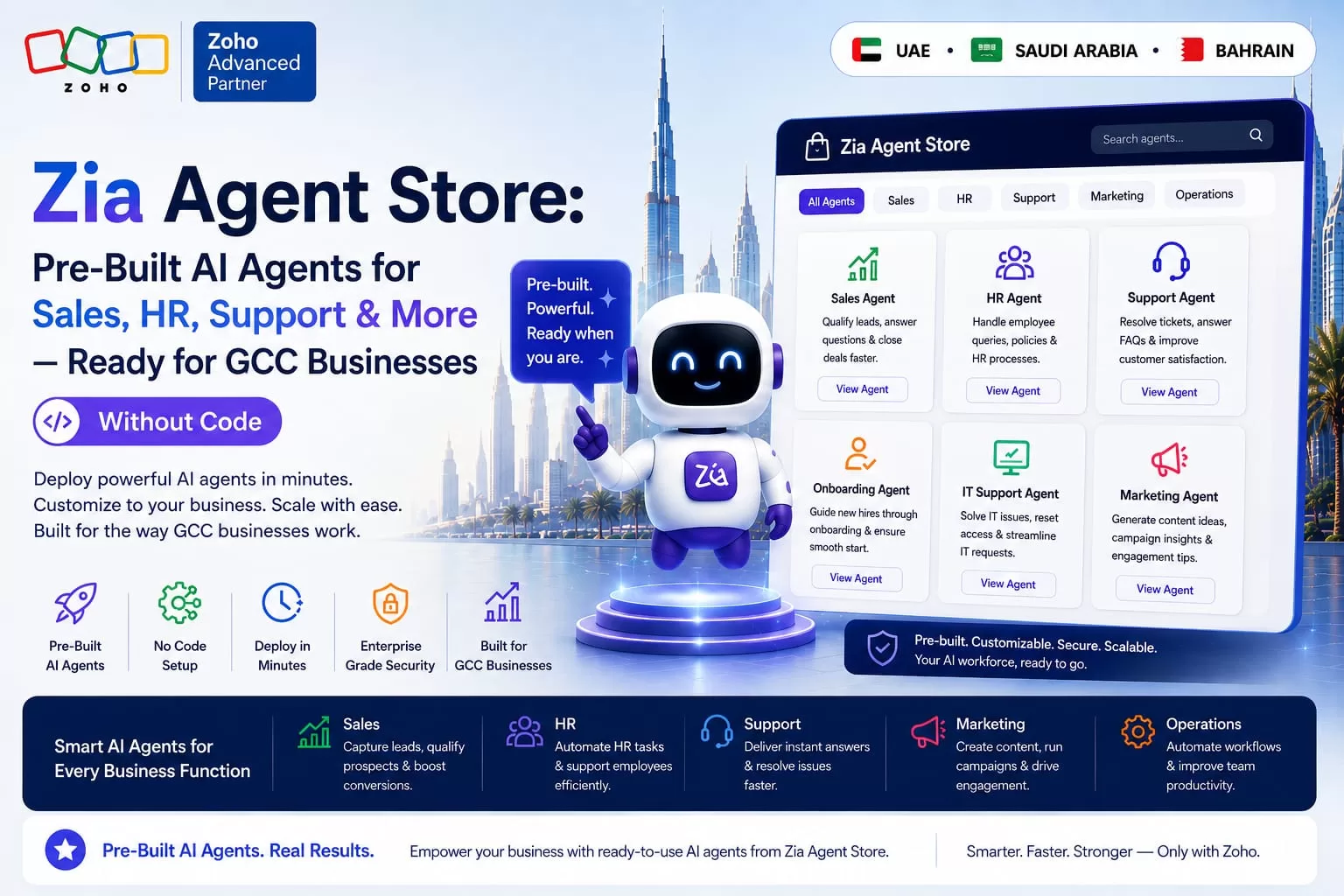
Not every business wants to build an AI agent from scratch, and most don’t need to. That is exactly the gap the Zia Agent Store closes. Instead of starting with a blank Zia Agent Studio canvas and a list of “700 possible actions,” a business can now browse a growing catalogue of over 40 pre-built, ready-to-deploy AI agents — an SDR agent that qualifies leads, a customer support agent that handles WhatsApp and email tickets around the clock, an HR agent that screens candidates, an IT help desk agent, and dozens more. A business can pick the one that matches an existing workflow and go live in minutes rather than weeks.
For a GCC business, that speed matters in a specific way. Sales, support, and HR teams across the UAE, Saudi Arabia, and Bahrain are often lean, bilingual, and stretched across multiple channels — WhatsApp, email, phone, and walk-in. A pre-built agent that already understands how to work inside Zoho CRM, Zoho Desk, and Zoho People removes months of custom-build time. As a result, it lets a business start capturing the benefit of agentic AI immediately, then customise from there.
This guide walks through what the Zia Agent Store actually is, the categories of agents already available for sales, HR, support, and operations, how it differs from building a custom agent in Zia Agent Studio, and how Al Fahad IT Consulting helps GCC businesses choose, deploy, and govern the right agents for how they actually work.
What Is the Zia Agent Store?
The Zia Agent Store is Zoho’s marketplace of ready-to-deploy AI agents. Each one is built for a specific business use case and designed to plug directly into existing Zoho applications with minimal setup. Rather than every business reinventing the same SDR follow-up logic or the same first-line support triage flow, Zoho and its partner ecosystem build it once, list it in the Store, and any business running the relevant Zoho app can install it, adjust a handful of settings, and put it to work.
Zia Agent Store vs Studio: Two Different Starting Points
| Zia Agent Store | Zia Agent Studio | |
| What it is | A marketplace of finished, pre-built agents ready to install | A no-code / low-code environment for building a custom agent from scratch |
| Best for | Common, well-understood jobs — lead qualification, first-line support, HR screening | Business-specific workflows that don’t match an off-the-shelf agent |
| Time to deploy | Minutes to a few hours, mostly configuration | Days to weeks, depending on complexity |
| Customisation | Settings, permissions, and connected data sources can be adjusted after install | Built to the exact logic, skills, and data sources the business specifies |
| Typical starting point | A business new to agentic AI, or replicating a common function | A business with a specific, non-standard process to automate |
Note: The Zia Agent Store’s catalogue, pricing, and available agent categories are expanding continuously. Confirm current agent availability, pricing, and edition requirements on Zoho’s official Agent Store or with a certified Zoho partner before planning a deployment.
Pre-Built Agents Available in the Zia Agent Store
Sales Agents
Sales-focused agents include an SDR Agent that qualifies inbound leads and books meetings, an Account Manager Agent that tracks existing customer relationships and flags renewal or upsell moments, and a SalesCoach Agent that onboards new sales reps with step-by-step guidance and reviews call or deal performance for coaching feedback. All of these work directly inside Zoho CRM.
Customer Support Agents
Customer Support Agents handle tickets and troubleshooting around the clock, resolving routine questions directly and routing anything genuinely complex to a human operator with full context attached. This is exactly the kind of after-hours and WhatsApp coverage that stretched GCC support teams struggle to staff manually. These agents plug into Zoho Desk and Zoho SalesIQ.
HR Agents
HR Agents can source and shortlist candidates against a role’s requirements, schedule interviews across multiple calendars, and follow up with candidates at each stage of the pipeline. As a result, they free an HR team from the repetitive coordination work that eats most of a hiring cycle. These agents work inside Zoho People and Zoho Recruit.
IT Help Desk Agents
An IT Help Desk Agent triages incoming technical requests, resolves common issues such as password resets or access requests directly, and escalates genuine incidents to the right technician with the diagnostic context already attached. This reduces response time without adding IT headcount.
Operations, Inventory, and Marketing Agents
Beyond the core four, the Store includes Inventory Management Agents that monitor stock levels, trigger re-orders, and flag seasonal demand trends through Zoho Inventory. It also includes Marketing Assistant Agents that help refine email segments, evaluate campaign performance, and streamline social content through Zoho Campaigns — with new categories added to the catalogue on a rolling basis.
How a Zia Agent Store Deployment Actually Works
1. Browse by Function, App, or Use Case
Agents in the Store can be filtered by business function — sales, HR, support, operations — by the Zoho application they plug into, or by the specific use case a business is trying to solve. As a result, a decision-maker can compare options against an actual job rather than a generic product description.
2. Install Into the Relevant Zoho App
Each agent installs directly into its home application — an SDR agent into Zoho CRM, a support agent into Zoho Desk or SalesIQ — the same way a Zoho Marketplace extension does. An organisation admin approves the installation, and the agent inherits the app’s existing data structure rather than requiring a separate integration project.
3. Configure Permissions and Scope
Before going live, an admin sets what the agent can see and do — which records, which actions, which escalation path. This is the same permission model applied to any Zoho user or Digital Employee. Most of the real configuration work sits at this step, and it is worth doing carefully rather than accepting default access.
4. Customise and Go Live
Once installed, most agents allow further adjustment — tone of voice, escalation rules, working hours, connected data sources — without needing to rebuild the agent from Agent Studio. Zoho positions this as a “minutes, not months” deployment. For well-understood use cases such as first-line support triage, that holds up in practice.
Why the Zia Agent Store Matters for GCC Businesses
Faster Time-to-Value Than a Custom Build
A GCC business evaluating agentic AI for the first time rarely needs a bespoke agent on day one. Instead, it needs proof that an AI agent can genuinely handle lead qualification or first-line support before committing budget to a custom build. The Agent Store lets a business test that proof in days, then decide whether Agent Studio is worth the investment for anything more specific.
Coverage for Bilingual, Multichannel Teams
Support and sales agents installed from the Store operate inside the same Zoho CRM, Desk, and SalesIQ data that already carries WhatsApp and Arabic-English conversations. As a result, a pre-built agent extends existing bilingual coverage rather than adding a separate English-only tool the team has to work around.
A Lower-Risk Entry Point for Regulated or Cautious Teams
For a finance, HR, or operations team wary of “AI making decisions,” a pre-built agent with known, documented behaviour is an easier internal approval than a fully custom one. The scope is defined, the escalation rules are visible, and the permission model is the familiar Zoho one already governing every other user.
Choosing the Right Agent: Zia Agent Store vs Custom Build
- Start in the Store if the job is common: Lead qualification, first-line support, candidate screening, and IT triage are all well-covered by existing pre-built agents.
- Move to Agent Studio if your process is genuinely unique: A multi-department approval chain or an industry-specific workflow may not map cleanly onto a generic agent.
- Pilot before you scale: Install one Store agent into one team first, review its audit trail and escalation pattern, then expand once it earns trust.
- Check the edition and licensing requirements: Some agents require a specific Zoho CRM, Desk, or People edition before they can be installed.
- Plan for bilingual testing regardless of source: A pre-built agent still needs validation against real Arabic-English GCC conversations before full rollout.
How Al Fahad IT Consulting Helps GCC Businesses Deploy Zia Agent Store Agents
Installing an agent from the Store is quick. However, making sure it is the right agent, scoped correctly, and actually trusted by the team that has to work alongside it takes more care. As a certified Zoho Premium Partner across the UAE, Saudi Arabia, and Bahrain, Al Fahad IT Consulting supports GCC businesses with:
- Agent Selection: Matching the right Store agent — or recommending a custom Agent Studio build — to your actual sales, support, HR, or IT workflow.
- Installation and Permission Setup: Configuring access, escalation rules, and data scope so each agent works within clear, auditable boundaries.
- Bilingual Validation: Testing installed agents against real Arabic-English conversations before they go live with customers or candidates.
- Team Onboarding: Training sales, support, and HR staff on how to work alongside an agent — what it handles, what still needs a human, and how to review its output.
- Ongoing Optimisation: Reviewing agent performance and escalation patterns after go-live, and adjusting scope as new agents are added to the Store.
Frequently Asked Questions About the Zia Agent Store
Q1. Do we need developers to install an agent from the Zia Agent Store?
No. Store agents are designed to install and configure without custom development. An organisation admin installs the agent into the relevant Zoho app and sets permissions and scope through standard settings screens.
Q2. Can a Zia Agent Store agent be customised after installation?
Yes, within limits. Most pre-built agents allow adjustments to tone, escalation rules, working hours, and connected data sources after install. For changes beyond what the agent’s settings expose, Zia Agent Studio is the better route.
Q3. How is the Agent Store different from a Zia Digital Employee?
The Agent Store is where an agent comes from — a catalogue of pre-built options ready to install. A Digital Employee is how an agent, whether from the Store or custom-built in Agent Studio, gets provisioned inside a business: with its own login, role, and audit trail, working like a team member rather than a background process.
Q4. Are Zia Agent Store agents suitable for Arabic-speaking customers?
Agents plug into the same underlying Zoho data and conversation channels already handling Arabic and English, including WhatsApp through Zoho SalesIQ. That said, every agent should still be tested against real, mixed-language conversations before full rollout, since bilingual behaviour is not automatically guaranteed by installation alone.
Q5. What does it cost to use agents from the Zia Agent Store?
Pricing varies by agent and by the Zoho edition already in use, and some agents are available on a free trial before purchase. Because pricing changes as the catalogue grows, always confirm current costs directly on the Zia Agent Store or with a certified Zoho partner before budgeting.
Ready to Deploy Your First Zia Agent Store Agent?
The Zia Agent Store turns agentic AI from a long build project into a decision: which ready-made agent matches a job your sales, support, HR, or IT team already does every day. For a GCC business balancing bilingual customers, multiple channels, and lean headcount, that is often the fastest, lowest-risk way to put AI to work. It is also the natural first step before investing in a fully custom agent.
Whether you are based in Dubai, Riyadh, or Manama, Al Fahad IT Consulting brings certified Zoho Premium Partner experience to help you choose, install, and govern the right agents from the Zia Agent Store.
Contact our team today for a free, no-obligation Zia Agent Store consultation.
Disclaimer: The Zia Agent Store catalogue, pricing, and agent availability continue to expand and may change. Always confirm current details with Zoho or a certified Zoho partner before planning a deployment. This article is for informational purposes only.
Talk to a Zia Agent Store Specialist
Al Fahad IT Consulting is a Zoho Premium Partner with active Zia Agent Store deployments for sales, support, and HR teams across UAE, Saudi Arabia, and Bahrain.
We help you select, install, and scope the right pre-built agents — with bilingual validation and team onboarding built into every rollout, not a generic template.
Book a free Zoho consultation →
نتحدث العربية. تواصل معنا للحصول على استشارة مجانية حول متجر وكلاء الذكاء الاصطناعي Zia في Zoho
Al Fahad IT Consulting is a Zoho Premium Partner and Oracle Partner Network member, providing Zoho implementation services across UAE, Saudi Arabia, and Bahrain.


