
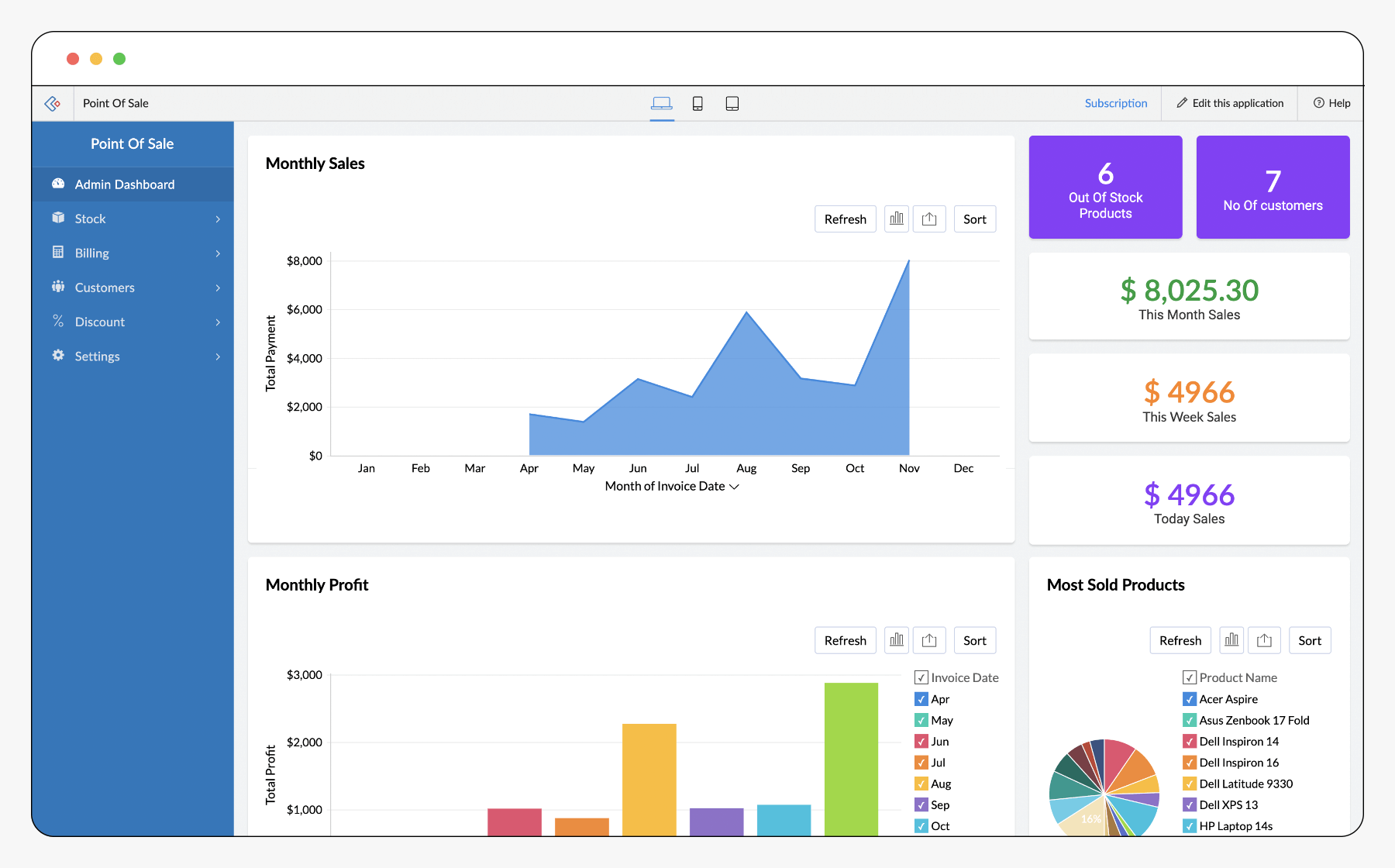
Many GCC retailers struggle not because sales are low, but because transactions, inventory, taxes, and reporting are disconnected across systems. This creates stock mismatches, VAT issues, and poor visibility at the point of sale. Zoho POS solves this by centralising retail transactions into a single, controlled system designed for real-world operations in the GCC.
This guide explains what is, how it works, how it compares to common alternatives, how it integrates with the Zoho ecosystem, how it’s implemented, and whether it’s the right fit for your business.
What Is Zoho POS? Features, Pricing & UAE Setup Guide
Zoho POS is a cloud-based point-of-sale system designed to manage retail transactions, inventory movement, customer data, and tax-ready sales records from a single platform.
Instead of acting as a standalone checkout tool, functions as a transaction control layer that connects front-line sales with inventory, finance, and reporting systems.
What Zoho POS is designed to replace?
Many retailers still rely on legacy POS software, manual stock updates, or disconnected billing systems. It replaces these fragmented setups with a unified, cloud-first approach.
What Zoho POS is not?
Zoho POS is not just a billing screen or receipt printer. It is not intended to operate in isolation without inventory and finance alignment.
Why Point-of-Sale Systems Are a Critical Issue for GCC Businesses
POS challenges in the GCC are rarely about hardware. They are about control, compliance, and scale.
Regulatory Reality
VAT enforcement in UAE and Saudi Arabia requires accurate item-level transaction records and tax calculation at checkout. POS errors directly translate into compliance risk.
Operational Complexity
Multi-branch operations, centralised inventory, decentralised sales teams, and high transaction volumes make manual reconciliation unviable.
What Happens Without POS Governance
When POS systems operate independently, businesses face stock mismatches, delayed financial reporting, and audit exposure and addresses this by ensuring that every sale updates inventory, tax records, and reports instantly.
How Zoho POS Works (End-to-End Transaction Lifecycle)
Zoho POS follows a transaction-centric lifecycle that ensures accuracy from checkout to reporting.
Product and Pricing Configuration
Products, SKUs, tax rules, discounts, and price lists are configured centrally to maintain consistency across outlets.
Checkout and Sale Processing
At the counter, sales are processed quickly with barcode scanning, VAT calculation, multiple payment modes, and receipt generation.
Inventory Adjustment in Real Time
Each completed sale immediately updates inventory, preventing overselling and data mismatches.
Customer and Transaction Recording
Sales can be linked to customer profiles, enabling better visibility into purchasing behaviour.
Reporting and Oversight
Sales data feeds into dashboards for outlet-level, cashier-level, and product-level analysis.
This workflow eliminates the need for manual reconciliation and spreadsheet tracking.
Core Modules and Capabilities Inside Zoho POS
This section outlines the functional building blocks that make operationally reliable.
Sales and Checkout Management
Supports fast billing, returns, refunds, discounts, and multi-payment handling without slowing down counter operations.
Inventory Tracking
Tracks stock across products, variants, and locations with automatic updates after each sale.
Tax and VAT Handling
Applies VAT accurately at checkout based on configured tax rules, reducing compliance risk.
Customer Management
Maintains customer profiles, purchase history, and repeat buyer data for better engagement.
Reporting and Analytics
Provides insights into sales trends, product performance, and cashier activity.
Each module is designed to work together rather than as an isolated feature.
Zoho POS vs Zoho Books / Zoho Inventory (Clear Role Separation)
This comparison helps businesses understand how it fits into the broader Zoho ecosystem.
Role-Based Differentiation
Zoho POS handles transactions, Zoho Inventory manages stock logic, and Zoho Books records financial impact.
Why This Separation Matters
Keeping sales execution, inventory control, and accounting distinct prevents data overload and process conflicts.
| Area | Zoho POS | Zoho Books | Zoho Inventory |
|---|---|---|---|
| Primary role | Sales execution | Accounting & VAT | Stock management |
| Focus | Checkout & transactions | Financial records | Inventory control |
| Timing | At the point of sale | After transactions | Before & after sales |
| Users | Cashiers, store staff | Finance teams | Operations & supply |
Together, they form a complete retail operations stack.
Pros and Cons of Zoho POS
Zoho POS offers strong operational benefits but must be evaluated realistically.
Advantages
Real-time inventory sync prevents stock mismatches, while VAT-ready transactions reduce compliance exposure. Cloud access enables multi-branch visibility, and Zoho ecosystem integration ensures clean data flow.
Limitations
It requires a structured setup and reliable connectivity. It delivers maximum value when implemented alongside inventory and finance systems.
| Strength | Business Impact | |
|---|---|---|
| Real-time inventory sync | Prevents stock mismatches | |
| VAT-ready transactions | Reduces compliance risk | |
| Cloud-based access | Multi-branch visibility | |
| Zoho ecosystem integration | Clean data flow | |
| Scalable design | Supports growth | |
| Consideration | Reality | |
| Requires proper setup | Poor configuration reduces value | |
| Internet dependency | Offline planning needed | |
| Not hardware-centric | Requires compatible devices | |
| Best with the Zoho ecosystem | Standalone use limits potential | |
Zoho POS Pricing: What GCC Businesses Should Expect
The pricing varies based on business structure and usage.
What Influences Pricing?
Pricing typically depends on the number of outlets, feature depth, integration needs, and overall scale of operations.
How Businesses Should Evaluate Cost?
Rather than comparing POS pricing alone, businesses should assess total operational savings from reduced errors and manual work.
Pricing Disclaimer:
The pricing may vary by region, plan, and usage. Always confirm current pricing during evaluation or partner consultation.
Zoho POS Implementation Guide for GCC Businesses
POS implementation is an operational exercise, not a software task.
Retail Workflow Assessment
Understanding how sales, returns, promotions, and refunds operate at the counter.
Inventory and Pricing Alignment
Ensuring consistent SKU structures, price lists, and tax rules across outlets.
VAT Configuration
Mapping VAT correctly to products and transactions for compliance.
Staff Enablement
Training cashiers and managers for real-world usage during peak hours.
System Integration
Connecting POS data with inventory and accounting systems.
Poor implementation turns Zoho POS into a billing tool. Strong implementation turns it into a retail control system.
Zoho POS Integration Deep Dives
Zoho POS is designed to integrate across business systems.
Inventory and Supply Chain Integration
Ensures stock levels remain accurate across sales channels.
Finance and Accounting Integration
Sales data flows cleanly into accounting systems without manual entry.
Customer and CRM Integration
Enables customer-level insights beyond the checkout counter.
Integration ensures transaction data remains accurate, approved, and audit-ready.
Industry-Specific Use Cases for Zoho POS
It adapts to different retail environments.
Retail Stores
Centralised pricing, stock control, and outlet-level reporting.
Supermarkets and Convenience Stores
Fast checkout with high transaction volume handling.
Pharmacies
Item-level tracking with compliance accuracy.
Fashion and Apparel
Variant-based inventory for size and colour control.
Electronics Retail
Serialised inventory and warranty tracking.
Zoho POS vs Alternative POS Systems (Market Reality)
Zoho POS is commonly compared with traditional desktop POS systems, hardware-locked solutions, and lightweight cloud POS tools.
Where Zoho POS Stands Out?
Cloud access, ecosystem integration, and scalability make it suitable for growing GCC businesses.
Where Alternatives May Fit?
Very small outlets with minimal inventory or reporting needs may prefer simpler tools.
Zoho POS focuses on operational clarity rather than feature overload.
Why Al Fahad IT Consulting Is the Right Zoho POS Implementation Partner
Al Fahad IT Consulting is a Zoho Premium Partner that implements system as part of a retail operations framework, not just a checkout system.
What does this mean in practice?
Retail workflows, VAT logic, inventory structure, and staff usage are aligned before go-live.
Outcome-focused implementation:
This approach reduces errors, improves adoption, and delivers reliable reporting from day one.
Is Zoho POS Right for Your Business?
Zoho POS is suitable for businesses operating physical outlets that require accurate inventory, VAT-compliant transactions, and multi-branch visibility. It is particularly effective for retailers planning to scale without losing operational control.
Final Takeaway
Zoho POS is not just a checkout tool. It is a transaction governance platform.
When implemented correctly with Al Fahad IT Consulting support, it ensures every sale is accurate, compliant, and connected to the rest of the business before downstream issues arise.


