
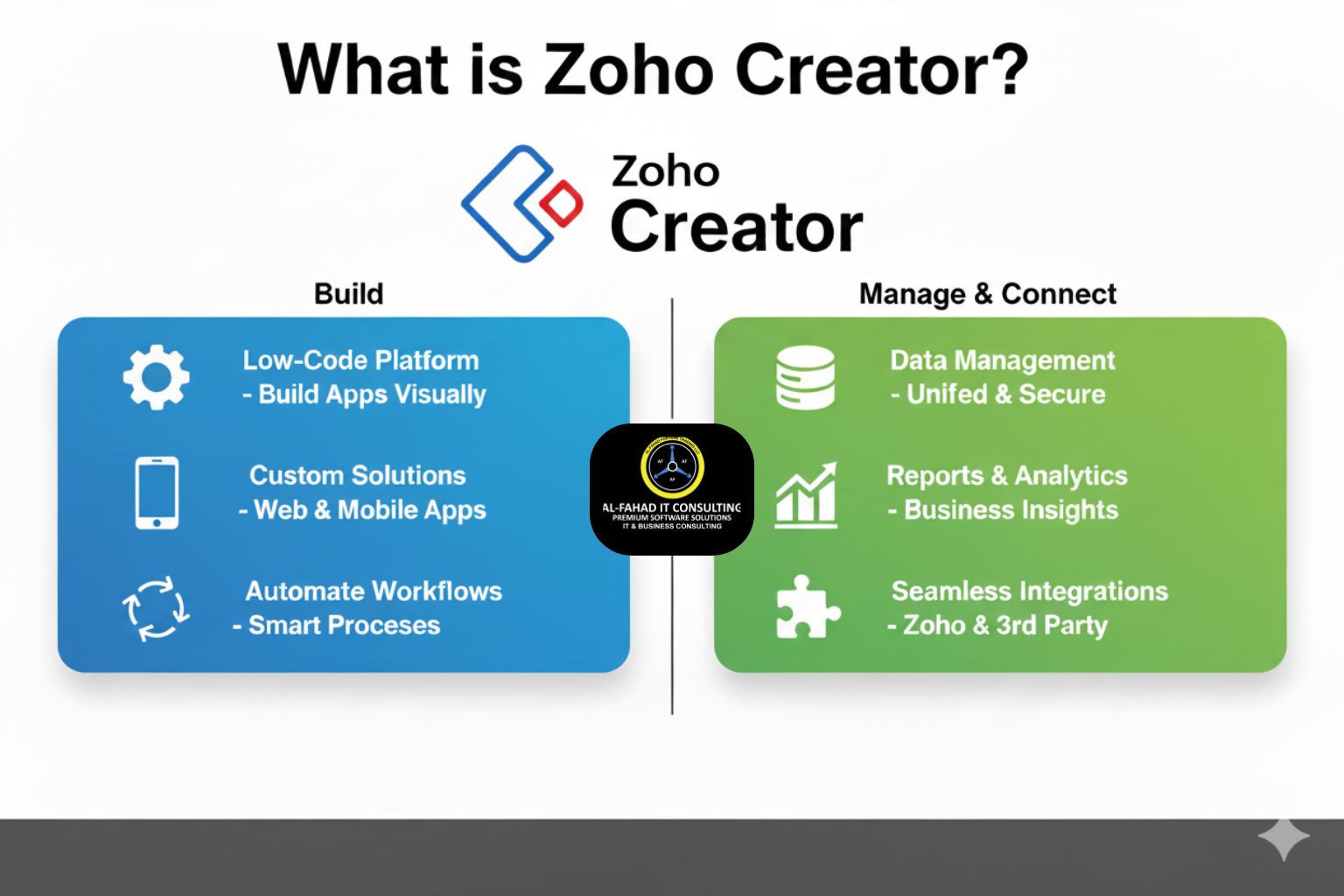
Digital transformation is sweeping across the Gulf region, and businesses are increasingly looking for custom, secure, and scalable applications to streamline operations. From real estate in Dubai to healthcare in Riyadh and logistics in Bahrain, organizations need platforms that enable rapid app development without the complexity of traditional coding. Zoho Creator is one such solution, empowering businesses in Saudi Arabia, the UAE, and Bahrain to create custom low-code apps with Zoho Creator’s enterprise-grade security and automation.
What is Zoho Creator?
Zoho Creator is Zoho’s low-code application development platform that allows businesses to design, deploy, manage, and create custom web and mobile apps quickly. It supports drag-and-drop visual development, AI-assisted workflows through CoCreator, automation, integration with multiple systems, and enterprise security features like SSO, audit trails, and role-based access.
Quick Snapshot (At a Glance)
| What it is | Key Strengths | Typical Users |
| AI-powered low-code development platform | Rapid app deployment, visual builder, AI assistance, cross-platform | SMBs, enterprises, non-technical managers, developers |
| Mobile- and web-native custom app builder | Speed-to-market: apps deploy instantly, native mobile & web | Portals, ERPs, dashboards, workflow automation |
How Zoho Creator Works (In a Nutshell)
- Design visually – Build forms, dashboards, workflows, and reports using drag-and-drop.
- Add intelligence – Use CoCreator to convert plain-language prompts into functioning apps.
- Automate workflows – Approvals, notifications, schedules, and business logic via Deluge scripts or triggers.
- Deploy instantly – Launch on web, iOS, and Android; host on Zoho cloud or on-prem/AWS/Azure.
- Manage security & users – Apply role-based access, SSO, audit logs, and compliance policies.
Key Zoho Creator Features & Benefits for UAE, Saudi Arabia, and Bahrain
| Feature | Description | Benefit for GCC Businesses |
| AI-Assisted Development | CoCreator interprets plain language to generate apps | Speeds app creation, reduces developer dependency |
| Templates & Prebuilt Modules | Industry-specific templates for ERP, HR, finance, and logistics | Reduces setup time and accelerates deployment |
| Automation & Analytics | Automate workflows and monitor KPIs with dashboards | Optimizes business processes across departments |
| Integration Capabilities | Connects with Zoho suite, Microsoft 365, Google Workspace, and third-party apps | Reduces manual data entry and streamlines operations |
| Security & Compliance | Encryption, audit trails, GDPR, SOC2, ISO 27001 compliance | Protects sensitive business data and meets regional standards |
Pros & Cons of Zoho Creator
| Pros | Cons |
| Accelerates app development with drag-and-drop and AI-assisted tools | Steeper learning curve for advanced custom logic and Deluge scripting |
| Apps run seamlessly across web and mobile platforms | Complex legacy system integration may require partner support |
| Deep automation, analytics, and integration across multiple systems | Highly customized apps may require additional maintenance and resources |
| Enterprise-grade security and compliance (GDPR, SOC2, ISO 27001) | Some advanced features need technical expertise or professional guidance |
| Affordable and tightly integrated with the Zoho ecosystem | Limited pre-built connectors compared to large-scale enterprise platforms |
Competitor Comparison — Quick Table
| Platform | Strengths | When to Choose |
| Zoho Creator | AI-assisted low-code, mobile + web deployment, strong Zoho ecosystem | Teams needing rapid internal tools with automation & integration |
| Mendix / Outsystems | Highly scalable, enterprise-level CLM & visual modeling | Large enterprises with complex, high-scale development needs |
| Power Apps (Microsoft) | Deep Microsoft 365 & Azure integration | Businesses heavily invested in the Microsoft ecosystem |
Compliance, Legality & Auditability in UAE, KSA, and Bahrain
To avoid potential compliance or legal issues, Zoho Creator has built-in global compliance standards that safeguard your business from legal troubles.
Regional & Global Legality
Zoho Creator aligns with global standards and supports compliance standards:
- UAE Electronic Transactions Law
- Saudi Arabia E-Transactions Law
- Bahrain Electronic Communications and Transactions Law
Ensuring apps meet local and international standards and requirements.
Healthcare Compliance
For healthcare organizations, Zoho Creator offers controls to manage sensitive patient data, aligning with HIPAA guidelines and regional healthcare regulations.
Security Standards
Enterprise-grade security encompasses encryption, role-based access controls, audit trails, and SOC 2 Type II and ISO 27001 certifications, ensuring secure data management across GCC operations.
Popular Use Cases of Zoho Creator in GCC
- Real Estate (UAE) – Lease approvals, CRM workflows, property management dashboards.
- Healthcare (KSA) – Patient intake, consent tracking, and inventory management apps.
- Logistics & Finance (Bahrain) – Vendor invoicing, asset tracking, automated approvals.
- HR & Operations – Onboarding, policy acknowledgment, performance dashboards across GCC businesses.
Zoho Creator Implementation Tips (To Get it Right)
- Define app objectives and workflows before building.
- Start with prebuilt templates and industry-specific modules.
- Involve both business users and Zoho Creators certified developers for logic and automation.
- Plan integrations with existing systems for future scalability.
- Enforce security policies, role-based access, and audit logging from day one.
Why Choose Al Fahad for Zoho Creator Implementation
Al Fahad IT Consultant is a premium Zoho partner with 10+ years of experience implementing Zoho Creator across the UAE, KSA, and Bahrain.
- Decade-Long Zoho Expertise – Trusted partner with a team of expert Zoho Creator developers since 2014.
- Dedicated Zoho Specialists – Full-spectrum support from design to integration.
- Regional Expertise – Knowledge of GCC business norms, regulations, and cultural nuances.
- Proven Track Record – Delivered solutions for real estate, healthcare, logistics, financial institutions, Fintech companies, and government.
- End-to-End Support – Zoho Consultation, Zoho implementation, Zoho support & training, and ongoing Zoho maintenance under one roof for uninterrupted business growth.
Final Thoughts
For businesses in the UAE, Saudi Arabia, and Bahrain, Zoho Creator is a powerful platform that enables secure, rapid, and scalable low-code app development without heavy IT overhead. Partnering with Al Fahad IT Consulting ensures your apps are designed, deployed, and managed efficiently, with full alignment to GCC business and compliance standards. To explore more of Zoho’s ecosystem and maximize your digital transformation, check out our other blogs:
Stay connected to Al Fahad Blogs for the latest information about Zoho products.
FAQs
1. How to create an auto-updated number in Zoho Creator
You can create an auto-number field in Zoho Creator. Go to Form > Add Field > Auto Number. Each time a new record is added, Zoho Creator will automatically assign a unique, sequential number.
2. How to delete an account in Zoho Creator
To delete your Zoho Creator account:
- Log in to Zoho Accounts (accounts.zoho.com).
- Go to Settings > Close Account.
- Follow the steps to permanently delete your account.
This will delete all apps and data linked to your Zoho Creator account.
3. How to get height in Zoho Creator
If you want to store or calculate a person’s height, you can create a Number field in your form (for example, “Height in cm” or “Height in ft/in”). Users can then input and save their height in that field.
4. How to get page height in Zoho Creator
Zoho Creator doesn’t directly give page height, but you can use Deluge scripts with client scripts (Page > Script) or custom JavaScript in embedded forms/pages to capture page dimensions like height and width.
5. How to make a To-Do list in Zoho Creator
You can easily create a To-Do List app by:
- Adding a form with fields like Task Name, Due Date, Status (Pending/Done).
- Creating a Report to display all tasks in a list or calendar view.
- Adding workflow rules to send reminders when deadlines are near.
6. Zoho Creator apps good or bad?
Zoho Creator apps are generally good for businesses that want custom apps without coding. They’re scalable, cloud-based, and integrate well with other Zoho apps. However, they may feel a bit complex for beginners and require some learning for advanced features.
7. Zoho Creator if date field is empty
You can handle this in Deluge script with a simple check:
if (input.Date_Field == null)
{
// action when the date field is empty
}
This helps you set default values, show alerts, or skip processes if no date is entered.


Leave a Reply