
Managing business finances becomes increasingly complex as organisations grow. Many companies begin with a simple accounting system but eventually add separate tools for invoicing, subscription billing, expense tracking, and inventory management.
Over time, this fragmented structure creates operational challenges:
- Financial data is spread across multiple systems
- Finance teams manually reconcile data between platforms
- Reporting becomes slow and inconsistent
- Leadership lacks real-time financial visibility
- Errors increase due to duplicated data entry
For finance departments, these inefficiencies reduce the time available for financial planning and strategic analysis.
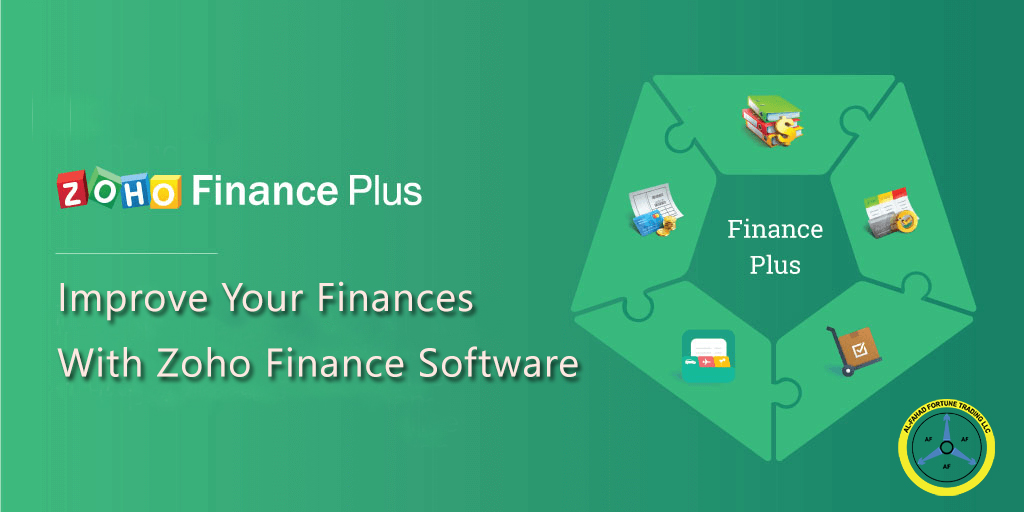
Zoho Finance Plus addresses these issues by bringing core financial functions into a single integrated platform. Instead of managing accounting, billing, payments, expenses, and inventory across multiple tools, finance teams can manage them in a single, coordinated system.
Why Disconnected Finance Systems Create Operational Problems
When financial workflows are spread across separate tools, even simple financial tasks become inefficient.
Consider a typical scenario:
- A sales team generates an invoice using billing software.
- The finance team manually records invoices in the accounting software.
- Payment data must be reconciled with bank records.
- Expenses are submitted separately through spreadsheets or email.
- Inventory adjustments must be recorded independently.
This process leads to:
- Manual data transfer between systems
- Delayed financial reporting
- Limited oversight of revenue and expenses
- Increased risk of accounting inconsistencies
For growing businesses, this fragmentation eventually limits financial control.
A unified financial management system simplifies operations by connecting financial data across departments and processes.
What Zoho Finance Plus Does
Zoho Finance Plus is a suite of financial applications designed to manage essential back-office functions within one ecosystem.
The platform helps businesses manage:
- Accounting and bookkeeping
- Client invoicing and billing
- Subscription and recurring revenue management
- Expense tracking and reimbursements
- Inventory and order management
- Online payment collection
Because these applications are connected, financial information flows automatically between them.
For example:
- Invoices generated for customers update accounting records instantly
- Expense reports feed directly into financial statements
- Inventory movements update cost accounting
- Subscription payments sync with revenue tracking
This integration reduces manual data entry and improves the reliability of financial records.
Core Applications in Zoho Finance Plus
The Zoho Finance Plus suite includes several applications designed to support specific financial operations.
Zoho Books – Accounting and Financial Reporting
Zoho Books is the core accounting application within the platform.
It allows finance teams to manage:
- Double-entry bookkeeping
- Accounts receivable and payable
- Bank reconciliation
- Tax configuration and reporting
- Financial statements such as profit and loss reports and balance sheets
Because Zoho Books integrates with other Zoho finance tools, transactions recorded in invoicing, subscriptions, or expenses are automatically updated in accounting records.
This ensures that financial reports always reflect the latest operational activity.
Zoho Invoice – Client Billing and Project Invoicing
Zoho Invoice helps businesses manage billing for products, services, and projects.
Finance teams can:
- Generate professional invoices
- Track billable hours for projects
- Send quotes and estimates
- Monitor payment status
Businesses that operate on project-based billing benefit from the ability to link invoices directly to tasks and time tracking.
This improves revenue tracking and reduces billing delays.
Zoho Inventory – Stock and Order Management
Businesses selling physical goods often struggle to connect inventory systems with accounting.
Zoho Inventory manages:
- Product catalogues
- Warehouse stock levels
- Purchase orders and sales orders
- Shipment tracking
- Multi-channel selling
Inventory movements automatically update financial records, ensuring accurate cost tracking and revenue reporting.
Zoho Subscriptions – Recurring Billing and Subscription Revenue
Subscription-based businesses require automated billing processes to manage recurring payments.
Zoho Subscriptions enables organisations to:
- Manage recurring billing cycles
- Handle subscription upgrades and renewals
- Track churn and failed payments
- Provide customer self-service portals
This application is particularly useful for SaaS businesses, service providers, and membership-based organisations.
Zoho Expense – Expense Tracking and Reimbursement
Employee expenses often create administrative challenges for finance teams.
Zoho Expense allows employees to:
- Capture receipts using mobile devices
- Submit digital expense reports
- Categorise expenses automatically
- Track reimbursement status
Finance teams benefit from automated approval workflows and clearer expense reporting.
Zoho Checkout – Secure Online Payment Collection
Zoho Checkout allows businesses to create custom payment pages for online transactions.
Organisations can:
- Accept payments through secure links
- Integrate payment pages into websites
- Send payment links alongside invoices
This simplifies payment collection and reduces receivables delays.
Financial Visibility and Decision-Making
One of the most significant advantages of an integrated financial platform is improved financial visibility.
When accounting, billing, inventory, and expenses operate in a single ecosystem, leadership teams can:
- Monitor revenue and expenses in real time
- Analyse profitability across departments or projects
- Review financial performance through dashboards and reports
- Make faster operational and financial decisions
Instead of waiting for manually consolidated reports, leadership gains immediate access to financial insights.
Implementation Considerations
Deploying a financial management system requires careful configuration to align with organisational workflows.
A typical implementation process includes:
Accounting Structure Design
Setting up the chart of accounts, tax configurations, and financial reporting structures.
Billing Workflow Setup
Configuring invoice templates, payment terms, and approval processes.
Expense Policy Integration
Defining expense categories, reimbursement policies, and approval workflows.
Inventory Configuration
Setting up warehouses, product categories, and stock valuation methods.
Financial Reporting Framework
Designing dashboards and reports for finance leaders and executives.
A structured implementation ensures the system supports operational processes rather than forcing teams to change their workflows unnecessarily.
Working With Al Fahad IT Consulting
Financial systems influence nearly every operational process within an organisation. Proper implementation requires both technical configuration and operational alignment.
Al Fahad IT Consulting supports organisations by:
- Analysing financial workflows
- Configuring Zoho Finance Plus according to business requirements
- Integrating finance applications with other business systems
- Establishing reporting and financial visibility frameworks
- Providing post-implementation support and optimisation
The goal is to ensure the finance platform supports accurate reporting, operational control, and reliable financial decision-making.
Conclusion
Financial operations become increasingly complex as organisations grow. Managing accounting, billing, inventory, expenses, and subscriptions through separate systems often leads to inefficiencies and inconsistent financial reporting.
Zoho Finance Plus addresses these challenges by providing a unified financial management platform that connects core back-office processes.
By integrating accounting, billing, expense tracking, and inventory management into a single system, organisations gain clearer financial visibility and reduce manual administrative work.
When implemented correctly, Zoho Finance Plus enables finance teams to move beyond routine data processing and focus on financial planning, performance analysis, and strategic decision-making.
Frequently Asked Questions
What is Zoho Finance Plus?
Zoho Finance Plus is a suite of financial management applications that integrates accounting, invoicing, expenses, inventory, subscription billing, and online payments into a single platform. It helps organisations centralise financial operations and improve financial visibility.
Which applications are included in Zoho Finance Plus?
The suite includes several applications, including Zoho Books, Zoho Invoice, Zoho Inventory, Zoho Subscriptions, Zoho Expense, and Zoho Checkout. Each application manages a specific financial function while remaining integrated with the overall system.
Is Zoho Finance Plus suitable for growing businesses?
Yes. Zoho Finance Plus is particularly useful for growing organisations that manage multiple financial workflows. As operations expand, the platform helps maintain financial control by consolidating financial data across departments.
Can Zoho Finance Plus integrate with other business systems?
Zoho Finance Plus integrates with many Zoho applications and third-party systems. This allows businesses to connect finance operations with CRM systems, project management tools, inventory platforms, and other operational software.
How long does it take to implement Zoho Finance Plus?
Implementation timelines vary depending on business complexity. A basic setup can be completed relatively quickly, while organisations with multiple financial workflows, tax requirements, or integrations may require a more structured implementation process to ensure accuracy and reliability.


